How to migrate a WordPress site to Astro + EmDash (a four-week playbook)
For developers and agencies running 20–80-page WordPress marketing sites — the exact four-week sequence we use, with the audit checklist, the redirect template, and the Search Console checks.
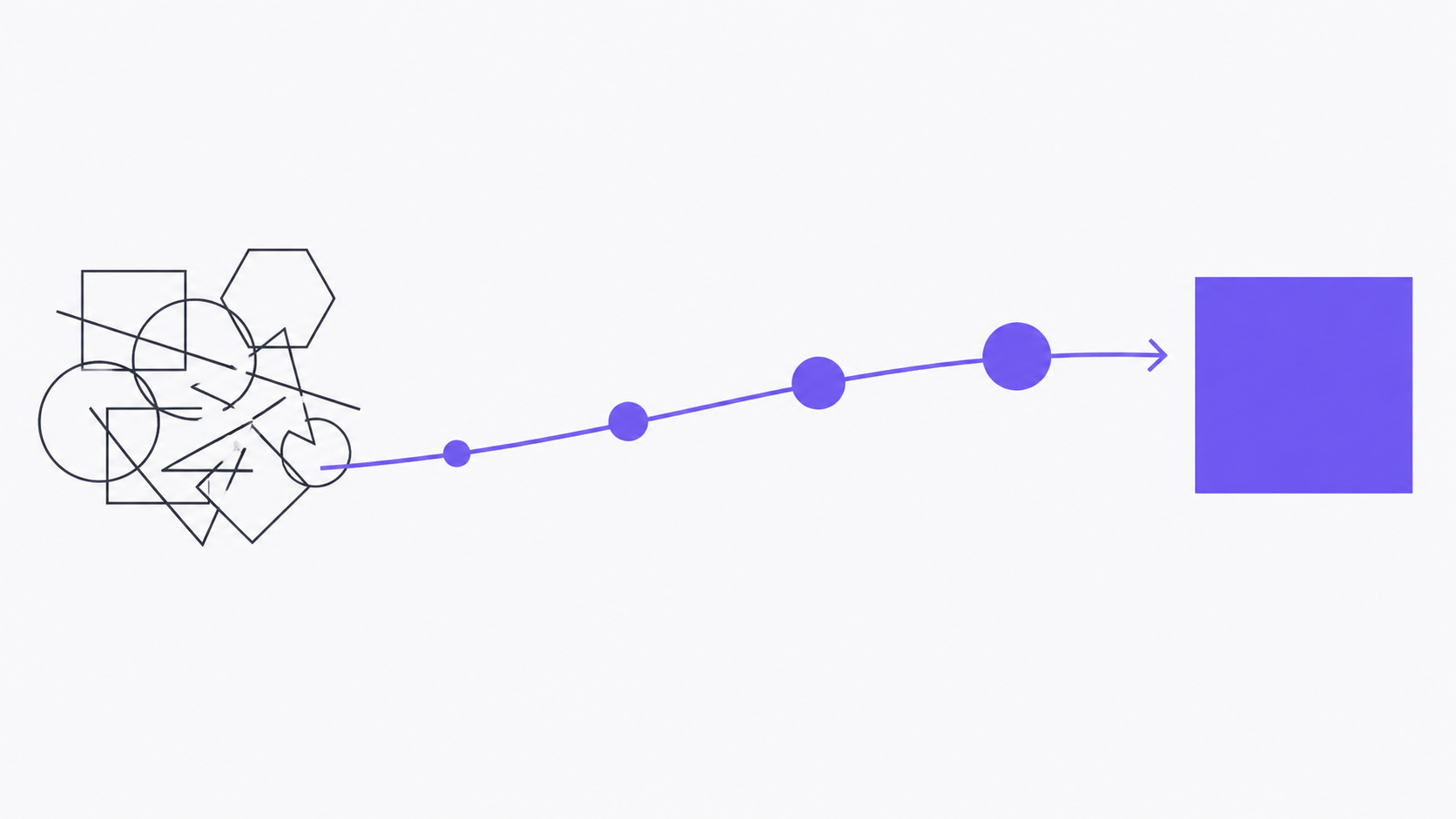
This is the playbook we use for a WordPress migration. It assumes a 20–80-page marketing site running a typical stack: a managed WordPress host, a page builder (Elementor, Gutenberg, or Bricks), 20–50 plugins, ACF or custom fields, GA4 and a contact form. Output: an Astro + EmDash site on Cloudflare Pages with a Worker for forms, redirects mapped, marketing team trained on Claude/MCP. Four weeks, two people, $3,000–$5,000.
If you read the case for migrating in the first place, this is the how. The why is upstream of this post.
The shape of the four weeks
The work goes in four phases — one per week. Each phase exits with a written artifact that the client signs off on. We do not start the next phase until the artifact is signed.
| Week | Phase | Exit artifact |
|---|---|---|
| 1 | Audit | Plugin inventory + content map |
| 2 | Model | EmDash schemas + redirect map + Astro previews |
| 3 | Migrate | Staged site with content + forms + analytics |
| 4 | Cut over | DNS flipped, monitoring green, training session done |
Below is each phase in detail. Skip ahead via the TOC.
Week 1 — Audit
The audit is 60% of the project’s risk and 20% of the calendar time. Done well, the next three weeks are mechanical. Done badly, you’ll surface a custom plugin in week 4 and miss the deadline.
Plugin inventory
Goal: a written list of every active plugin with its purpose, its replacement, and an explicit decision for each.
WP-CLI is the fastest way to dump this:
wp plugin list --status=active --format=json > plugin-inventory.jsonFor each plugin, fill out:
- Name + version
- Purpose — the actual job-to-be-done in one sentence
- Replacement plan — one of: native Astro, EmDash plugin, custom shortcode, drop entirely
- Risk — what breaks if we drop it without a replacement
A typical 30-plugin WordPress site reduces to five plugin-equivalents on EmDash:
- SEO meta + sitemap (replaced by Astro
@astrojs/sitemap+ manual<SEO>component) - Forms (replaced by a Cloudflare Worker + Resend)
- Analytics (replaced by a single GTM container; see the GA4 + GTM post)
- Image optimization (Astro
astro:assetshandles it natively) - Redirects (Cloudflare Pages
_redirectsfile)
The other 25 plugins fall into “delete,” “obsolete,” or “use the platform’s built-in equivalent.” That is the win we are buying with the migration.
Content map
Goal: every URL on the existing site mapped to its destination. We use a spreadsheet — one row per URL, columns: current_url, new_url, template, notes.
Pull the URLs from the existing sitemap:
curl -s https://oldsite.com/sitemap.xml \
  | grep -oP '(?<=<loc>)[^<]+' \
  > urls.txt
For each URL:
- Template — which Astro page template will render it. Typically
home,service-detail,about,contact,blog-post,blog-index,legal. Most sites collapse to 6–8 templates. - New URL — usually identical. Change only when forced (e.g., reserved paths, legacy
/index.php?p=12URLs, or you finally want to clean up/wp-content/uploads/...). - Notes — anything weird. Custom shortcode? Embedded form? Inline JavaScript that ad ops insists on?
Sign-off on the content map happens before any code is written. The client says yes to the new URL list and the template count. After that, scope is locked.
Redirect map
For every URL whose path changes, add a row in redirects.csv:
old_path,new_path,status
/wp/our-services/,/services,301
/blog/2024/01/intro-post/,/blog/intro-post,301
/?page_id=12,/about,301
/wp-content/uploads/2023/headshot.jpg,/images/team/quang.webp,301
This becomes the public/_redirects file in week 4. Format for Cloudflare Pages:
# public/_redirects
/wp/our-services/      /services        301
/blog/2024/*           /blog/:splat     301
/?page_id=12           /about           301
Wildcards save typing. Test the redirects locally with pnpm preview before cutover.
Week 2 — Model
Now we translate the audit into types and templates. By end of week, the client clicks a Cloudflare Pages preview URL and sees their site, with placeholder content but real structure.
EmDash content types from page-builder blobs
Page-builder content is the migration’s hardest problem. A typical Elementor hero is a 4KB blob of nested JSON describing rows, columns, widgets, and inline CSS. EmDash content types are typed and small.
For each unique page section, define an EmDash content type. Example for a SaaS landing page:
// emdash/content-types/hero.ts
export default {
  name: 'hero',
  fields: {
    eyebrow: { type: 'string', optional: true },
    headline: { type: 'string', required: true, max: 80 },
    lede: { type: 'string', required: true, max: 240 },
    primary_cta: {
      type: 'object',
      fields: {
        label: { type: 'string' },
        href: { type: 'string' },
      },
    },
    visual: { type: 'image', optional: true },
  },
};
Three rules of thumb:
- No deeply nested objects. Two levels max. If you find yourself writing a third level, split it into a sibling content type.
- Validate copy length.
max: 80on a headline is a feature for marketers — it forces them to stay within the design system instead of breaking the layout in production. - One content type per visually distinct section. Don’t try to make a “universal block” content type. The whole point of typed schemas is that Claude can know which fields are valid for which sections.
Astro components matching the existing design
Don’t redesign during a migration. Port the existing CSS, then ship. Redesign is a separate engagement after the migration is stable. Mixing the two doubles the timeline and obscures what broke.
The structure that works:
src/
├── components/
│   ├── primitives/       # Button, Card, Pill, Stack, Grid
│   ├── blocks/           # Hero, FeatureGrid, ServiceCard, CTABand
│   └── layout/           # Header, Footer, SEO, Schema
├── content/
│   ├── pages/            # one MDX per page that doesn't fit a template
│   ├── services/         # collection driven from EmDash content types
│   └── blog/             # MDX posts (or pulled from EmDash for the editor UX)
└── pages/
    ├── index.astro
    ├── services/[slug].astro
    └── blog/[slug].astro
Keep the CSS vanilla. Tokens-driven (tokens.css with CSS variables). No Tailwind, no CSS-in-JS — both fight EmDash’s design conventions and add JS-shipped weight you don’t need on a marketing site.
Performance budget — locked at week 2
Set the Lighthouse CI budgets in week 2 so the rest of the build is gated against them. The numbers we lock for marketing sites:
{
  "ci": {
    "assert": {
      "assertions": {
        "categories:performance":     ["error", { "minScore": 0.95 }],
        "categories:accessibility":   ["error", { "minScore": 0.95 }],
        "categories:best-practices":  ["error", { "minScore": 0.95 }],
        "categories:seo":             ["error", { "minScore": 1.0  }],
        "largest-contentful-paint":   ["error", { "maxNumericValue": 2500 }],
        "interaction-to-next-paint":  ["error", { "maxNumericValue": 200  }],
        "cumulative-layout-shift":    ["error", { "maxNumericValue": 0.1  }],
        "total-byte-weight":          ["error", { "maxNumericValue": 512000 }]
      }
    }
  }
}
Wire that into GitHub Actions on PR. Block merge below thresholds. It catches CLS regressions early — we’ve had two clients try to add a third-party “leadmagnet” widget that broke CLS, and the CI job blocked the PR before review noticed.
Week 3 — Migrate
The mechanical week. Content moves, forms move, analytics moves. Most of the code was written in week 2; week 3 is import + cleanup + verification.
WXR export and import
WordPress’s wp export produces a WXR file (XML). EmDash’s CLI imports it:
# On WordPress
wp export --post_type=page,post --filename_format=site.xml

# On the new EmDash project
emdash import --wxr ./site.xml --map ./content-type-map.json
The content-type-map.json tells EmDash how to interpret WordPress fields. Example:
{
  "post_type:page": "default-page",
  "post_type:post": "blog-post",
  "meta:_yoast_wpseo_title": "seo.title",
  "meta:_yoast_wpseo_metadesc": "seo.description",
  "acf:hero_headline": "hero.headline",
  "acf:hero_subhead": "hero.lede"
}
Expect the import to surface 5–15% of pages with anomalies — orphaned ACF fields, deleted-but-referenced images, draft posts that shouldn’t have been included. Triage manually.
Manual content cleanup
Two patterns we always run after import:
Strip page-builder wrappers. Elementor wraps every block in <div class="elementor-element ..."> with inline styles. Run a regex pass on the imported markdown to strip these:
emdash content rewrite \
  --collection=pages \
  --field=body \
  --pattern='<div class="elementor-element[^"]*"[^>]*>([\s\S]*?)</div>' \
  --replace='$1'
Inline shortcodes. WordPress shortcodes don’t survive the export. Replace each shortcode with the equivalent Astro component or MDX shortcode — usually 5–20 unique shortcodes per site, mostly [contact-form], [button], [testimonial].
Image asset migration
WordPress puts media in /wp-content/uploads/YYYY/MM/. EmDash uses Cloudflare R2. Migration:
# Mirror /wp-content/uploads from the live site
wget -mk https://oldsite.com/wp-content/uploads/

# Upload to R2 with paths preserved
wrangler r2 object put emdashkit-media/uploads/ \
  --recursive \
  --file ./oldsite.com/wp-content/uploads/
Then run an astro:assets pass to generate AVIF + WebP responsive variants at build time. Drop a redirect from /wp-content/uploads/* to /uploads/* in _redirects so any external links to your old image URLs still resolve.
Form replacement
WordPress contact-form plugins (CF7, Gravity Forms, WPForms, Formidable) all do roughly the same thing: render a form, validate inputs, send an email, sometimes store the submission. The Astro + Worker replacement is small.
The form on the Astro side is a plain <form> with client-side fetch:
<!-- src/components/blocks/ContactForm.astro -->
<form id="contact" novalidate>
  <input name="name" required />
  <input name="email" type="email" required />
  <textarea name="message" required></textarea>
  <div class="cf-turnstile" data-sitekey={PUBLIC_TURNSTILE_SITEKEY}></div>
  <button>Send</button>
</form>

<script>
  document.getElementById('contact')?.addEventListener('submit', async (e) => {
    e.preventDefault();
    const fd = new FormData(e.target as HTMLFormElement);
    const token = fd.get('cf-turnstile-response');
    await fetch('https://api.emdashkit.dev/contact', {
      method: 'POST',
      headers: { 'Content-Type': 'application/json' },
      body: JSON.stringify({
        name: fd.get('name'),
        email: fd.get('email'),
        message: fd.get('message'),
        turnstileToken: token,
      }),
    });
  });
</script>
The Worker (separate file, separate deploy) verifies Turnstile and sends via Resend:
// worker/src/index.ts
export default {
  async fetch(req: Request, env: Env) {
    const body = await req.json();
    const ok = await verifyTurnstile(body.turnstileToken, env.TURNSTILE_SECRET);
    if (!ok) return new Response('forbidden', { status: 403 });
    await sendResendEmail(env.RESEND_API_KEY, body);
    return new Response('ok');
  },
};
The whole replacement is under 200 lines. It removes a 50,000-line plugin (CF7 + dependencies) from the stack.
Analytics replacement
Strip Yoast, Google Site Kit, MonsterInsights, etc. Add one GTM container. GA4 lives inside GTM. UTM capture is a 30-line client-side script that persists to a first-party cookie.
The full pattern is in GA4, GTM, and UTM tracking on Astro + EmDash — link rather than duplicate it here. The point for the migration is: one GTM ID, one <script> tag, no plugin dependency.
Week 4 — Cut over
This is the week the site goes live. Most of the work is verification and recovery prep, not new code.
Pre-cutover checklist
Run through this list with the client before flipping DNS:
- Lighthouse CI green on the staging URL (mobile, all four categories ≥ 95).
- axe-core CI green (no serious or critical violations).
- Schema.org Rich Results Test green on
/, one service page, one blog post. - Sitemap valid (
https://staging.example.com/sitemap-index.xmlserved as XML). - RSS feed valid via
https://www.rssboard.org/rss-validator/. - Form submission delivers an email (test from staging).
- GTM debug mode shows page views, CTA clicks, form submits firing.
- Every URL in
redirects.csvreturns 301 to the right destination on staging. - HTTPS + HSTS + CSP headers present on staging (use
securityheaders.com). -
robots.txtallows crawl, points at the new sitemap.
DNS swap
Lower the TTL on the existing DNS records to 300 seconds 24 hours before cutover. Then on cutover day:
- Add the Cloudflare Pages custom domain. Cloudflare provisions the cert and sets up the proxy.
- Switch the apex
A/AAAArecords (or CNAME flattening, depending on registrar) to point at Cloudflare. - Wait for DNS to propagate.
dig +short example.comfrom a few different resolvers (1.1.1.1, 8.8.8.8, your own ISP). - Hit each known URL and verify the right page renders.
If anything looks wrong, revert DNS — you have the old TTL of 300 seconds working in your favor.
Search Console hygiene
Within 48 hours of cutover:
- Submit the new sitemap (
https://example.com/sitemap-index.xml) to Google Search Console. - Use the URL Inspection tool to verify Google can fetch and render five sampled pages — typically
/, the highest-traffic service page, the highest-traffic blog post,/about,/contact. - Watch the Coverage report for crawl errors. If you mapped redirects correctly, the old URLs should show as “Page with redirect” and the new URLs should show as “Submitted and indexed” within 1–2 weeks.
- If Google still has the old URLs in its index after a month, double-check the redirects with
curl -I https://example.com/old-url/to confirm 301 status codes (not 302, not 307).
Training session
30 minutes with the marketing team. Agenda:
- Connect Claude to the EmDash MCP server. This is a one-time setup in Claude Desktop or Cursor — configure the MCP endpoint, authenticate with a passkey.
- Walk through three real edits. Change a hero subhead. Swap an image. Add a new FAQ item. The team does each one, you watch.
- Show what the schema constraints look like. When Claude refuses to write a 200-character headline because the schema says
max: 80, that’s a feature, not a bug. - Hand off the docs. A README in the project repo with the Claude prompts, the schema descriptions, and a “what to do if X breaks” runbook.
We watch the team do at least one real edit on the live site before we leave the room. If they hesitate or hit a snag, the snag goes in the runbook.
What can go wrong
Honest list of the failure modes we’ve seen, in rough order of frequency:
Forgotten plugins surfacing as “what about X?” in week 4. Mitigation: audit thoroughness in week 1. Don’t shortcut it.
Page-builder content that the regex strip pass mangles. Mitigation: budget two days of manual cleanup in week 3. Some clients will need three.
SEO ranking dip in weeks 2–4 post-cutover. Almost always traceable to a redirect that returned 302 instead of 301, or a <title> tag that drifted in length. Watch Search Console daily for the first three weeks.
Marketing team fearful of Claude. Mitigation: the training session needs to be hands-on. If they walk out without making a real edit, they won’t make one when we’re gone. Keep the runbook short.
A custom font that worked on WordPress (because of a plugin) doesn’t load. Mitigation: self-host fonts via @fontsource or as raw files in public/fonts/. Don’t depend on Google Fonts on the new site.
What you have at the end
- A production marketing site on Cloudflare Pages, hitting Lighthouse 95+ on mobile.
- A separate Cloudflare Worker handling form submissions.
- An EmDash CMS instance the marketing team edits via Claude/MCP.
- 301 redirects covering every URL change.
- GTM + GA4 firing the events you actually use.
- A Git repo the team can maintain (or hand back to us on retainer).
- A 30-day support window during which we fix anything that breaks.
The hosting bill drops from ~$60/month to under $20/month for most clients. The plugin renewal bill drops to zero. The marketing team stops filing tickets for copy changes. That’s the entire pitch.
FAQ
How long does a WordPress migration to EmDash take?
Four weeks is typical for a 20–80-page marketing site with two people working part-time. Week 1 is the audit, week 2 is modeling, week 3 is the mechanical content move, week 4 is cutover and training. Sites with heavy custom plugins or e-commerce sections take longer; we scope those down to marketing pages only (Cloudflare Pages docs, 2026).
Will my SEO take a hit during cutover?
Not if redirects are done right. Every URL that changes path needs a 301 (not 302, not 307) to its new location, and the new sitemap needs to be submitted within 48 hours of cutover. Watch the Coverage report daily for the first three weeks; old URLs should show as “Page with redirect” and new ones as “Submitted and indexed” (Search Console docs, 2026).
What if my page-builder content (Elementor, Gutenberg) doesn’t migrate cleanly?
Budget two days of manual content cleanup in week 3. The regex strip pass handles 80–90% of Elementor wrappers; the remainder are nested shortcodes, inline styles, or custom widgets that need a hand-written replacement. Define one EmDash content type per visually distinct section and map fields explicitly in content-type-map.json (Astro content collections docs, 2026).
Can I run a WordPress site and an EmDash site in parallel during migration?
Yes. The standard approach is a Cloudflare Pages preview URL on a staging.example.com subdomain throughout weeks 2–4. The client clicks through it after each phase exit. DNS for the production apex stays on the WordPress host until cutover day, so there is no traffic risk during the build (Cloudflare Pages custom domains docs, 2026).
Can I migrate without losing any URLs?
Yes, if you build the redirect map correctly. Every URL on the old sitemap gets a row in redirects.csv mapped to either an identical path on the new site or a 301 to the new location. That CSV becomes the public/_redirects file at cutover. Wildcards handle date-based blog archives in one line (Cloudflare Pages redirects docs, 2026).
The next post in this sequence is WordPress vs EmDash: a practical comparison for marketing-first teams — written for the people deciding whether to migrate, not how. If you’ve already decided and want help running the playbook, the intro call is below.
Keep reading
 migrations P1 · cornerstone
 Why we're migrating clients from WordPress to EmDash in 2026
For agency owners and SMB marketing leads watching their devs drown in plugin maintenance: here's why we moved off WordPress this year, and what we moved to.
 migrations P2
 Static site to EmDash: when to skip the migration and just rebuild
For the marketing lead at a small SaaS whose 30-page hand-coded HTML site has become a dev bottleneck: when migrating to a CMS makes sense, when starting fresh on EmDash + Astro is faster, and the surprisingly common third option — leave it alone.
 emdash P3
 Six weeks evaluating EmDash for production work: what we learned before betting on it
For the agency owner who's read all the EmDash hype and wants the boring version: what we measured across six weeks of building, evaluating, and pitching EmDash work — before any client site went live. The bugs, the gaps, the things we'd wait on, and the things that already work.